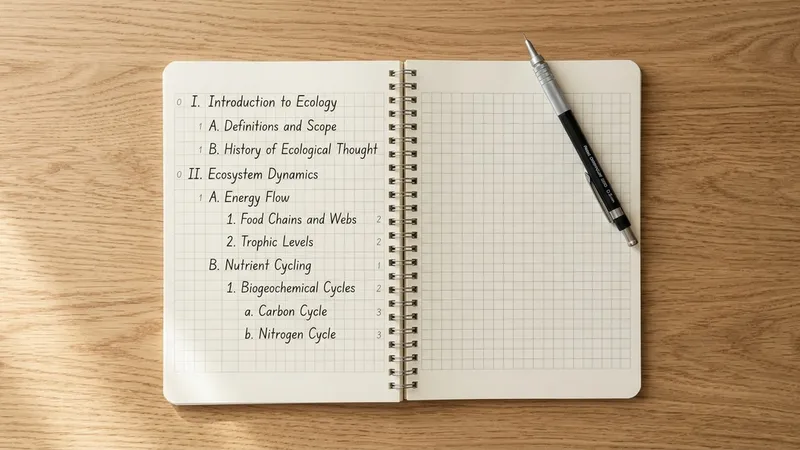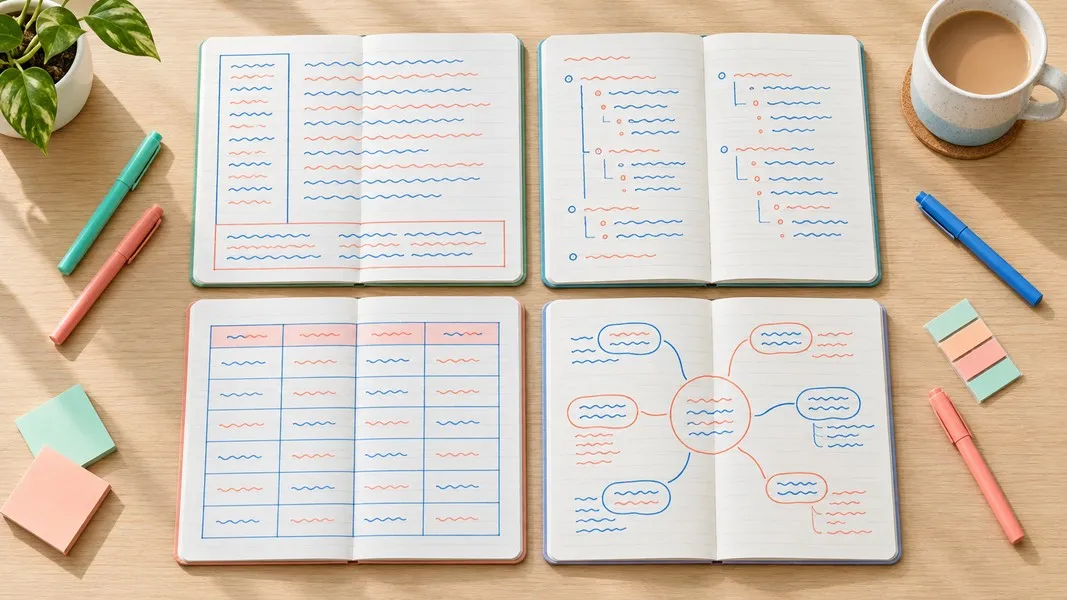
A note taking template is a page layout you set up before the lecture, reading or meeting starts, so you know where every idea goes while you are still listening. The right one depends on the situation: a Cornell page for lectures you will be tested on, a chart for anything you need to compare, and an action item layout for meetings.
Most people take notes on a blank page and decide the structure as they go. That works until the speaker speeds up, and then the page turns into a transcript with no shape. A template moves the organizing decision to before class, when you have time to make it.
Below are seven layouts, each with a short filled example, the situations it suits, and how to study or act on it afterwards.
What a Good Note Taking Template Does
Notes do two jobs. Writing them makes you select and rephrase ideas while you listen, and the finished page is something you return to later. A template should help with both: it should make you process during the session and give you something worth reviewing after it.
The evidence on how you take notes is more mixed than the headlines suggest. A widely shared 2014 study found that longhand note takers did better than laptop note takers on conceptual questions. When Morehead, Dunlosky and Rawson ran a direct replication, the difference did not hold up consistently, and on a test two days later the note-taking method made no difference at all. What did predict scores was how much the notes overlapped with what the test asked.
That is the strongest argument for a template: it makes sure the main ideas land on the page in a form you can test yourself on. A layout with a place for questions, key terms or decisions pulls those things out of the stream of talk, which a blank page does not.
How to Choose a Note Taking Template
Start with what you will do with the notes afterwards, not with what the page looks like. A lecture you will be examined on needs a layout built for self-testing. A meeting needs a layout built for follow-through.
| Situation | What you need later | Best layout |
|---|---|---|
| Lecture with an exam | Questions to quiz yourself on | Cornell |
| Structured lecture or textbook chapter | The hierarchy of ideas | Outline |
| Lecture with slides | Your own explanations beside the slides | Two-column |
| Several items with shared features | Side-by-side comparison | Chart |
| A process or system | How the parts connect | Map |
| Article, book or paper | The argument and your response | Reading notes |
| Meeting or call | Decisions and who does what | Meeting notes |
You do not need all seven. Most students settle on two or three that match their courses, and most professionals need one for meetings and one for reading.
1. Cornell Note Taking Template
The Cornell layout divides the page into three areas: a wide notes column on the right, a narrow cue column on the left, and a summary strip across the bottom. You write notes during the lecture, add questions in the cue column afterwards, and close with a one or two sentence summary.
A filled example for a psychology lecture:
| Cue column | Notes column |
|---|---|
| What is working memory? | Short-term system that holds and manipulates information; limited capacity |
| What limits it? | Capacity: only a few items fit at once, and they fade without rehearsal |
| Why does chunking help? | Grouping items lets one chunk stand for several pieces |
| Summary | Working memory is small, so study methods that group information reduce the load |
The Cornell format has some of the better recent evidence behind it. In a 2026 randomized study with 134 education students, groups used Cornell, two-column, digital or plain sentence notes for five weeks. On a retention test four weeks later, the Cornell group averaged 15.0 out of 20 against 12.4 for the sentence group, the only statistically supported difference between methods. The Cornell and two-column groups also reported a significant rise in motivation.
To study from it, cover the notes column and answer each cue out loud. For printable and Word versions of this layout, see these Cornell notes templates.
2. Outline Note Taking Template
The outline layout arranges notes as a hierarchy of headings, points and details, indented one level at a time. It fits lectures that follow a clear structure and textbook chapters with numbered sections, because the speaker or author has already done most of the organizing.
| Level | Entry |
|---|---|
| Topic | Causes of the Great Depression |
| Point | Stock market crash of 1929 |
| Detail | Wiped out savings and shook confidence in banks |
| Point | Bank failures |
| Detail | No deposit insurance, so failures spread through runs |
| Point | Collapse of world trade |
| Detail | Tariffs and retaliation cut exports |
The weakness of an outline is that it records what was said without asking why. Add a short "why it matters" line under each main point and the outline starts working as a study tool rather than a list.
Outlines are also the easiest template to build digitally, since every word processor handles indentation. If you are new to structured notes, this guide to note taking methods covers the outline method alongside the other main systems.
3. Two-Column Note Taking Template
The two-column layout puts the lecturer's material on the left and your own words on the right. In the 2026 study above it was called the parallel method: the left column held slides or an instructor's outline, and students wrote their elaborations, examples and explanations in the right column.
| Slide or lecturer point | My explanation or example |
|---|---|
| Opportunity cost: the value of the next best alternative | Choosing to study tonight costs me the shift I could have worked |
| Sunk costs should not affect decisions | The concert ticket is paid for either way, so go only if I still want to |
| Marginal analysis: compare extra benefit to extra cost | One more hour of revision is worth it if it moves me past a grade boundary |
This layout works best when slides are shared before class. You print or paste them on the left and spend the lecture filling in the right column, which keeps you rephrasing instead of copying.
It is close to what researchers call guided notes, where the instructor provides a partial outline that students complete. A 2009 meta-analysis found that guided notes improve note-taking accuracy and academic performance, with the clearest effects for school-age students.
4. Chart Note Taking Template
The chart layout, sometimes called the matrix or charting method, puts the items you are studying in rows and the features you care about in columns. It suits any topic where several things share the same set of properties: theories, historical periods, drug classes, competing products.
| Theory | Key thinker | Main claim | Common criticism |
|---|---|---|---|
| Behaviorism | Skinner | Behavior is shaped by reinforcement | Ignores internal mental states |
| Cognitivism | Piaget | Learners build mental structures in stages | Stages are less fixed than proposed |
| Constructivism | Vygotsky | Learning happens through social interaction | Hard to test directly |
The chart forces you to fill the same columns for every row, so gaps show up immediately. If one theory has no criticism listed, you know exactly what to look up.
Set up the columns before the session if you know what is coming. When you do not, take notes in another layout and build the chart afterwards as a review exercise, which is often the more useful version anyway.
5. Mapping Note Taking Template
A map puts the central topic in the middle of the page and branches related ideas outward, with lines showing how they connect. It fits processes, systems and topics where the relationships matter more than the order: an ecosystem, the parts of a business model, the causes and effects of an event.
A filled example for photosynthesis would place the process at the center, with branches for inputs (light, water, carbon dioxide), the two stages (light-dependent reactions and the Calvin cycle), and outputs (glucose and oxygen). Label each line with the relationship, such as "absorbed by" or "produces", because those labels are what an exam asks about.
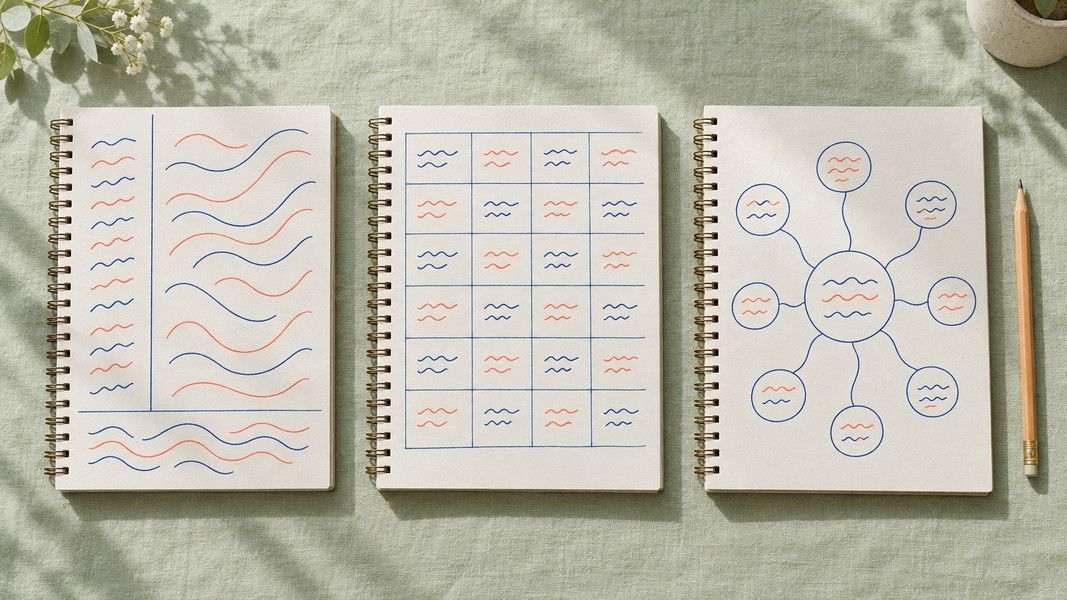
Maps are hard to draw at lecture speed. A practical approach is to take linear notes during class and turn them into a map the same evening. In Primo Notes, the mind map tool turns a recorded lecture or an uploaded PDF into a first draft of the structure, which you can then redraw by hand and label yourself.
6. Reading Notes Template
Reading notes need a different structure from lecture notes, because you control the pace and the goal is usually to understand an argument. A good reading template records the source, the main claim, the evidence for it, and your own response.
| Field | Entry |
|---|---|
| Source | Chapter 4 of the assigned textbook, pages 88 to 112 |
| Main claim | Urban growth in the 19th century was driven more by migration than by birth rates |
| Evidence | Census figures by decade; case studies of three industrial cities |
| What I am unsure about | Whether the same pattern held outside Europe |
| Question for class | How reliable were 19th-century census counts? |
The "unsure" and "question" fields are what separate active reading from highlighting. They give you something to bring to a seminar and something to check during revision.
For research papers, add a field for method and sample size. Comparing those fields across several papers is the quickest way to see why studies on the same question reach different answers.
7. Meeting Notes Template
A meeting notes template is built around what happens after the meeting rather than what was said in it. The core fields are attendees, decisions, action items with an owner and a deadline, and open questions.
| Section | Entry |
|---|---|
| Attendees | Ana, Marko, Lea |
| Decision | Launch date moves to the first week of next month |
| Action item | Marko updates the release plan, due Friday |
| Action item | Lea drafts the customer email, due Wednesday |
| Open question | Do we need legal review of the new terms? |
A meeting without owners and dates on its action items tends to be repeated a week later. Writing the owner next to each task while the meeting is still running makes it hard for anything to slip through.
Recording the meeting removes the pressure to write everything down live. When Primo Notes records a conversation with several speakers, the note comes back in a meeting shape with speaker labels, and the follow-up email tool turns it into a summary you can send to everyone who attended.
Using a Template on Paper, in Word, or on a Tablet
The medium matters less than the layout, but it is not irrelevant. A 2024 meta-analysis of 24 studies found that typing produced far more words in notes, while handwritten notes led to higher achievement when students reviewed them afterwards, a small but reliable effect.
Put that together with the replication results and a sensible rule emerges: handwrite when the session is conceptual and you will study from the notes, type when you need to capture a lot of detail quickly. Either way, a structured layout gives you more than the choice of pen or keyboard.
Some practical options for each medium:
- Paper: rule the lines for your layout on the first page of a notebook and copy it forward, or print a stack of blank pages in advance.
- Word or Google Docs: build each layout as a table, save it as a template file, and start every session from a copy.
- Tablet: most handwriting apps let you import a PDF as a page background, so one layout file can serve a whole term.
If you take handwritten notes but want them searchable, photograph the pages afterwards. Primo Notes reads handwriting through the camera and turns each page into a typed note, so the structure you drew survives in a digital copy.
How to Combine Templates Into One System
Templates work best as a small set with clear rules for when each one is used. A student might use Cornell for lectures, reading notes for assigned texts, and a chart for revision at the end of each unit. A manager might use meeting notes for every call and a two-column layout for training sessions.
The link between them is review. Cornell cues become flashcards, reading note questions go to the next seminar, and meeting action items move into a task list the same day. A template that never gets reviewed is only a tidier way to forget.
Keep the set small enough that you never stop to decide. If you hesitate over which layout to use when a session starts, you have too many.
Conclusion
A note taking template moves the organizing work to before the session, so your attention goes to the content instead of the page. Cornell suits lectures you will be tested on, outlines suit structured material, two-column layouts suit slide-based classes, charts suit comparisons, maps suit systems, reading notes suit texts, and meeting notes suit anything with action items.
The research points in one direction: structure and review matter more than the tool you write with. Pick two or three layouts that fit how you work, use them every time, and build the review into the layout itself.