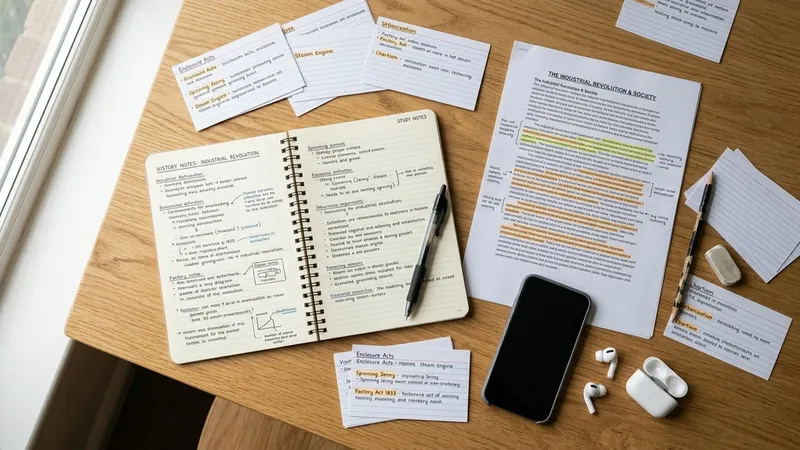
An AI study guide maker turns material you already have, such as class notes, a PDF, a slide deck or a lecture recording, into an organized guide with the key concepts pulled out. The better ones also build a quiz and flashcards from the same source, which matters more than the guide itself. The right tool depends mostly on one question: what does your course material actually look like?
If most of what you need to learn was said out loud in a lecture, you want a tool that records and transcribes. If it lives in readings and slides, you want one that handles files well and stays faithful to them. This comparison covers seven tools, what each takes in, what it builds, and where each one falls short.
Our Top Picks at a Glance
| Rank | Tool | Best for | Takes in | Builds |
|---|---|---|---|---|
| 1 | Primo Notes | Lectures and spoken material | Recordings, photos, PDFs, YouTube, web pages, text | Notes, quiz, flashcards, mind map |
| 2 | Quizlet Study Guides | Notes you already typed or wrote | Pasted text, files, Google Drive, photos, lecture recording | Outline, flashcards, practice tests |
| 3 | Gemini Notebook | Guides grounded in your sources | Documents and other sources you add | Cited answers, flashcards, quizzes, reports |
| 4 | Knowt | AP and IB exam prep | PDFs, slides, videos, lecture audio | Notes, flashcards, practice tests |
| 5 | StudyFetch | Several sources in one study set | PDFs, slides, Google Docs, photos, audio, YouTube | Study guide, flashcards, quizzes, plan |
| 6 | NoteGPT | Videos and long articles | Video, audio, YouTube, PDFs, articles | Summaries, flashcards, quizzes |
| 7 | ChatGPT study mode | Working through hard concepts | Questions and conversation | Guided explanations, knowledge checks |
How We Evaluated These AI Study Guide Makers
A study guide is a summary, and summaries alone are a weak way to learn. In a large review of ten learning techniques, Dunlosky and colleagues rated practice testing and distributed practice as high utility, while summarization, highlighting and rereading received low utility ratings. A guide you only reread is mostly a rereading tool, so the quiz and flashcards built from it carry the real value.
There is a second risk. In a field experiment with nearly a thousand high school math students, a team at Wharton found that students with an unrestricted GPT-4 tutor did 48% better on practice problems, then scored 17% worse than the control group once the AI was taken away. The version with guardrails, which guided students instead of handing over answers, largely removed that harm, as the PNAS study reports.
With that evidence in mind, we judged each tool on four things:
- Input range: whether it works from your own course material, and which formats it accepts, especially lecture audio.
- Faithfulness: whether the guide stays close to the source, or fills gaps with general knowledge your teacher never covered.
- Retrieval tools: whether quizzes, practice tests and flashcards come from the same material as the guide.
- Active use: whether the tool pushes you to recall and explain, or makes it easy to skim and move on.
1. Primo Notes: Best for Turning Lectures Into Study Material
Primo Notes is an AI note taking app for iOS and Android that turns any input into a structured note. You can record a lecture, photograph a page of handwritten or printed notes, upload a PDF, Word file or slide deck, paste a YouTube link or a web page, or type text. Each one comes back as a title, an organized note and a formatted transcript, without choosing a format first.
Why it ranks first
Most AI study guide makers start from a file. In many courses, part of what you are tested on is said in class and never appears on a slide, and Primo Notes starts from the recording. Transcription covers 101 languages with automatic detection and can translate into your own language, which helps when lectures are in your second language. When a recording has several speakers, such as a seminar or a study group, it comes back with speaker labels.
On a finished note you get seven tools: summarize, rewrite, translate, quiz, flashcards, mind map and follow-up email. The quiz and flashcards are what turn the note into practice testing. Ask AI lets you chat with a single note, and Feynman mode has you explain the material out loud while the app works on the gaps in your explanation, which keeps you doing the thinking.
Where it falls short
It is mobile only, so there is no desktop app for building guides on a laptop. It also produces a structured note rather than a document labelled "study guide," so if you want a printable guide for a topic you have no notes on yet, use the free study guide maker on the Primo Notes website. You enter a topic of up to 500 characters and get a study guide, a 5-question practice quiz and 8 flashcards, which you can download together as one PDF.
Ideal for: lecture-heavy courses, international students, and anyone whose notes start as audio.
2. Quizlet Study Guides: Best for Notes You Already Have
Quizlet added study guides on top of its flashcard library. According to Quizlet's help center, you paste your notes or upload a file, and it generates a study guide with an outline, a flashcard set and more. The upload page accepts pasted text up to 100,000 characters, files, Google Drive documents, and a newer lecture recording option, and the mobile app can scan handwritten notes from a photo.
What it does well
The guide is editable. You can highlight, rename it, change who can see it, and turn it into flashcards and practice tests in a click. If your class already uses Quizlet sets, the guide sits in the same library as everything else you study. The public guides other students have shared can also help you check whether you missed a topic.
Where it falls short
Study guides are limited to English, French and German, and there are age requirements by country: 14 or older in the United States and the United Kingdom, 18 or older in several other countries. Free accounts get limited access to the feature. Public guides from other students are convenient, but they reflect someone else's course, so treat them as a cross-check and not a replacement for your own material.
Ideal for: students with typed or handwritten notes who already study with Quizlet flashcards.
3. Gemini Notebook: Best for Guides Grounded in Your Sources
Google renamed NotebookLM to Gemini Notebook in July 2026, and the Google announcement describes it as the same standalone product with new features added. You add your sources to a notebook, then ask questions and get answers with citations back to those sources.
What it does well
Citations are the main reason to pick it. When a generated explanation points to the exact passage it came from, you can check it against your reading instead of trusting it. From the same sources it builds flashcards, quizzes, mind maps, slide decks, and audio and video overviews, along with suggested reports. That range works well for reading-heavy courses such as history, law or literature, where the source text is the material you are tested on.
Where it falls short
It is built around documents and does not record a live lecture, so spoken material needs a transcript first. The range of outputs can also become a distraction: an audio overview you listen to on the bus is pleasant, but it is closer to rereading than to testing yourself. Stick to the flashcards and quizzes when exam day is close.
Ideal for: research papers, textbook chapters, and any course where you need to trace a claim back to the source.
4. Knowt: Best for AP and IB Exam Prep
Knowt markets itself as a free Quizlet alternative and builds notes, flashcards and practice tests from PDFs, slides, videos and lecture audio. Its live lecture note taker records a class and produces notes and study material from it afterwards, and its study guide generator creates structured outlines from an uploaded file.
What it does well
Exam hubs set Knowt apart. It has AP and IB hubs with study material organized around those exams, which saves time if you are preparing for a standardized test rather than a single course. Its flashcard learn mode and practice tests turn the guide into retrieval practice, and it can generate podcast-style audio from your material as well.
Where it falls short
Many features compete for attention on the same screen, from summarizers for spreadsheets and images to exam rooms, so it can take a while to settle into one routine. The exam hub content is shared material, written for the exam in general, not for what your teacher stressed in class.
Ideal for: high school students preparing for AP or IB exams who also want their own notes turned into flashcards.
5. StudyFetch: Best for Mixing Several Sources in One Study Set
StudyFetch, founded in 2023, builds a study guide from PDFs, PowerPoint files, Google Docs, pasted notes, photos of handwritten pages, audio and YouTube lectures. You can add more than one source to the same study set, then generate flashcards, quizzes and a study plan from it.
What it does well
Combining sources is the strongest feature. Real courses rarely live in one file: a week might mean a slide deck, a reading, and a lecture video. Putting all three into one set produces a guide that covers the week, not one document at a time. Its tutor, Sparky, can be used by voice to walk through the material in real time.
Where it falls short
A tutor that explains whenever you ask can turn into the crutch the Wharton study warned about. If you use it, ask it to quiz you before it explains. The guide also depends on how clean your sources are; low quality audio or blurry photos produce thinner guides, as with every tool here.
Ideal for: students juggling slides, readings and recorded lectures for the same unit.
6. NoteGPT: Best for Videos and Long Articles
NoteGPT is a broad AI toolkit rather than a dedicated study app. Its help center lists a transcriber for video and audio, a summarizer for PDFs and articles, YouTube transcripts, a flashcard maker and a quiz generator, alongside writing, image and presentation tools.
What it does well
If much of your course material is on YouTube or in long online articles, NoteGPT turns them into summaries quickly, and the flashcard and quiz tools let you move from a summary to practice in the same place. It is useful for students who learn from online lectures alongside, or instead of, a classroom.
Where it falls short
Breadth comes at the cost of focus. The same product includes an essay writer and an AI detector, which says something about who it is built for. The study features work, but they are one part of a general content toolkit, and the free version has usage limits.
Ideal for: self-taught learners and online course students who work mostly from videos and articles.
7. ChatGPT Study Mode: Best for Working Through Hard Concepts
ChatGPT is not a study guide maker in the strict sense, but many students use it as one. OpenAI added study mode to address the crutch problem directly. In its announcement, OpenAI describes Socratic questions, hints and self-reflection prompts in place of direct answers, plus quizzes and open-ended knowledge checks with feedback. You switch it on by choosing "Study and learn" from the tools menu.
What it does well
For a concept you keep failing to understand, a patient back and forth works better than a static guide. Study mode is designed to check your level first and then build up from there, which follows the guardrail approach that protected learning in the Wharton experiment.
Where it falls short
OpenAI notes that study mode runs on custom system instructions and can behave inconsistently across conversations. It also works from general knowledge unless you supply your own material, so it may explain a topic differently from your course. Use it to understand, then go back to a guide built from your own notes to revise.
Ideal for: the one or two topics in every course that do not click on first reading.
What to Look for in an AI Study Guide Generator
The table above is a starting point. These questions decide which tool fits your course.
Does it start from your material or from a topic?
A guide built from your own notes, slides and lectures matches what your teacher emphasized. A guide generated from a topic name is faster but generic. Topic-based makers are fine for a first overview; for exam revision, use your own sources. If you want to see what a good guide contains before you generate one, our guide on making a study guide by hand walks through the parts.
Can it handle lecture audio?
If your course is lecture-heavy, a tool that records and transcribes will catch material that never appears on a slide. Check whether it handles your language and labels different speakers in a discussion.
Does the quiz come from the same source as the guide?
Practice testing is where the learning gain is. The best AI study guide maker is the one that makes you answer questions about your own material, not the one with the prettiest summary. Quizzes and flashcards generated from the same source keep everything aligned.
Can you check it against the source?
AI tools make mistakes, and a confident wrong sentence in a study guide is worse than a gap. Citations, transcripts you can scroll back through, or an original file kept next to the guide all make checking quick.
Does it fit your format?
Some students want a one page outline; others want something closer to a structured set of notes. Our collection of study guide formats shows which layout suits which subject, and most tools here let you edit the generated guide into whichever shape you prefer.
How to Get the Most From an AI Study Guide
Generate the guide early, not the night before. Distributed practice was the other technique rated high utility in the Dunlosky review, so a guide made in week three and quizzed every few days will do more than one made in week twelve.
Read the guide once to check it, fixing anything that does not match your notes. Then close it and use the quiz or flashcards. When you get a question wrong, go back to the relevant section of the guide, then test yourself again a few days later. Explaining a topic out loud without looking, whether to a friend or in a mode like Primo Notes' Feynman session, shows you quickly which parts you only recognize and which you can actually recall.
Conclusion
An AI study guide maker saves the hours of organizing, but the guide itself is the least useful part. The research favors practice testing and spaced review, and warns that AI used as an answer machine can leave you worse off once it is gone.
Pick the tool that matches where your material comes from: recordings for lecture-heavy courses, file-based tools for readings and slides, cited answers when you need to trace every claim. Then spend most of your time on the quizzes and flashcards it builds, and use the guide to fix what you got wrong.