
Yes, Notion offers a free student plan. Students and educators with a verified school email address can upgrade to Notion's Education plan at no cost, which includes the same features as the paid Plus tier: unlimited file uploads, 30-day version history, and Plus-level collaboration tools.
This guide covers exactly what the student plan includes, who qualifies, how to activate it, and when upgrading to Plus or Business actually makes sense.
Does Notion Have a Student Discount?
Notion does not offer a percentage discount on paid plans. Instead, it offers something better: a completely free Education plan for eligible students and educators.
You will see this offer under two names. Notion's help centre now calls it the Education Plan, while several product and marketing pages still call it the Education Plus Plan. They are the same offer, so it does not matter which name brought you here.
The Education plan gives you Plus-level workspace features at $0, as long as you verify with a qualifying school email address. This is not the same as the standard free tier that anyone can sign up for. The Education plan removes the main restrictions of the free plan, including the 5 MB file upload limit and the 7-day version history cap.
The short answer: there is no discount code, but there is a free plan specifically for students that matches what Notion charges $10 to $12 per member per month for on the regular Plus plan.
Who Qualifies for the Notion Education Plan?
Eligibility is narrower than most students expect, and it turns entirely on your email address rather than on any document you can submit.
You qualify if you are a student or educator at an accredited college or university and you have an email address issued by that institution. Notion is explicit that it does not accept student ID cards or any other documentation to verify status, so a personal Gmail or Outlook address disqualifies an account no matter what you can prove about your enrolment.
You do not qualify if you are a K-12 student or a K-12 teacher. That exclusion catches a lot of people, and the fallback is reasonable: the standard free plan still gives you unlimited pages and blocks for personal use, just with the smaller file cap and shorter history.
Whether your institution is recognised depends on its listing in the World Higher Education Database, the WHED reference Notion checks against. If you meet every requirement but the upgrade option never appears, the fix is to email team@makenotion.com and ask for your school domain to be allowlisted. Institutions listed in the WHED get added on request.
What Is Included in the Notion Education Plan?
The Education plan gives you:
- Unlimited pages and blocks
- Unlimited file uploads, which removes the 5 MB per file cap from the standard free tier
- 30-day version history, against 7 days on the standard free tier
- Plus-level features for customising and publishing sites
- Up to 100 guests per workspace
One limit matters more than any of those benefits and is easy to miss: the individual Education plan covers a one-member workspace. You can share pages with up to 100 guests, which is generous, but you cannot add a second member to the workspace itself. For solo academic work that distinction never bites. For anything that needs co-owners, it is the reason to look at the student organization plan below.
What is not included: full Notion AI. The Education plan carries the same limited AI trial as the Free and Plus tiers, while Notion Agents, AI Meeting Notes and advanced workspace Q&A require a Business subscription. Individual students on the Education plan may, however, be eligible for 50% off a Notion AI subscription, which Notion surfaces under Settings when you select Add to plan next to Notion AI. It is offered subject to terms rather than guaranteed, so check it in your own account rather than assuming it.
How to Get Notion's Free Student Plan
The verification process runs through Notion's own site using your school email address. There is no third-party ID verification service required.
If you are signing up for the first time:
- Create your Notion account using your official university or college email
- Verify your email through the confirmation link Notion sends
- Go to Settings in your sidebar, then select Upgrade plan
- Select Get free education plan
If your school is recognised by Notion's system, the upgrade applies automatically at that point.
If you already have a Notion account with a personal email, update the email address on the account to your school address, verify it, and the education option becomes available in the same place.
Three conditions trip people up at the upgrade step. Your workspace must contain only one member, so remove any additional owners or members first. You have to upgrade from the desktop or web app, because the option does not appear on mobile. And if you are already paying for Plus, downgrade to the Free plan under Settings, Billing, Change plan before claiming the education offer.
The free Education plan has no fixed end date, but it is not permanent either. Notion asks you to reverify your student status once a year using your school email. As long as that address still works, you keep the plan. Once you graduate and the address is deactivated, the next annual check fails and the workspace drops back to the free tier, so export anything you need or move to a paid plan before that happens.
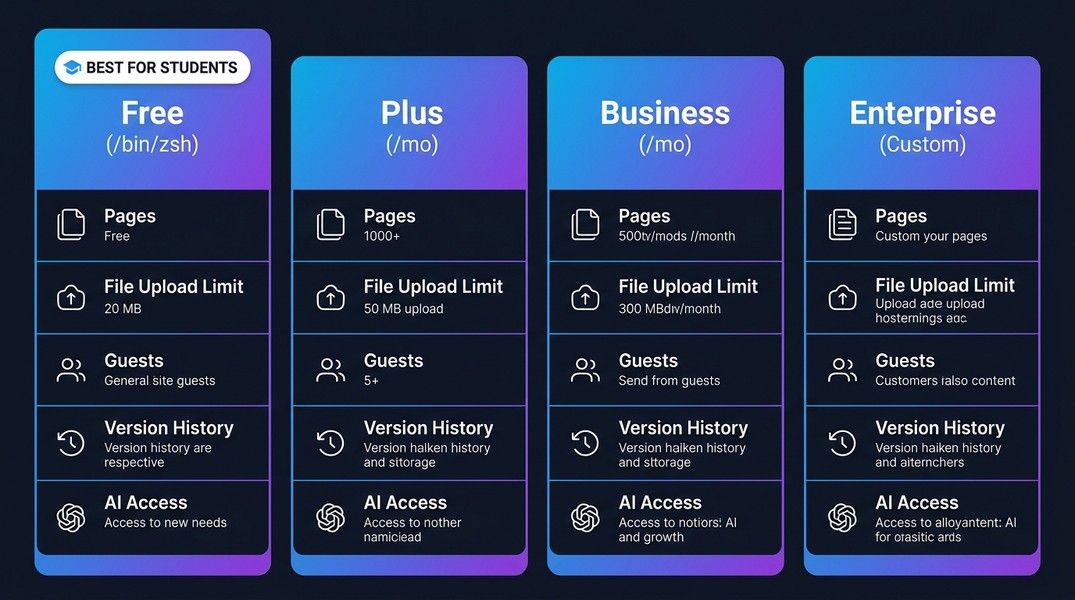
Notion Pricing Plans for Students
Here is how all plans compare, including the Education option. Notion prices per member and bills yearly at a discount of up to 20%.
| Plan | Monthly Price | Annual Price | Key Differentiator |
|---|---|---|---|
| Free | $0 | $0 | Standard personal use, 5 MB file cap |
| Education | $0 (with school email) | $0 | Plus features for verified students |
| Plus | $12/member | $10/member | Same features as Education, but for anyone, and multi-member |
| Business | $24/member | $20/member | Full AI, SSO, admin tools, 90-day history |
| Enterprise | Custom | Custom | Large institution contracts |
Prices shift periodically. Verify current rates directly on Notion's pricing page before making a decision.
For most students, the practical choice is between the free Education plan and the standard free tier. If you have a school email, activating the Education plan is almost always worth doing since it costs nothing and removes the most common friction points.
Free Plan vs Education Plan vs Plus: What Is Actually Different?
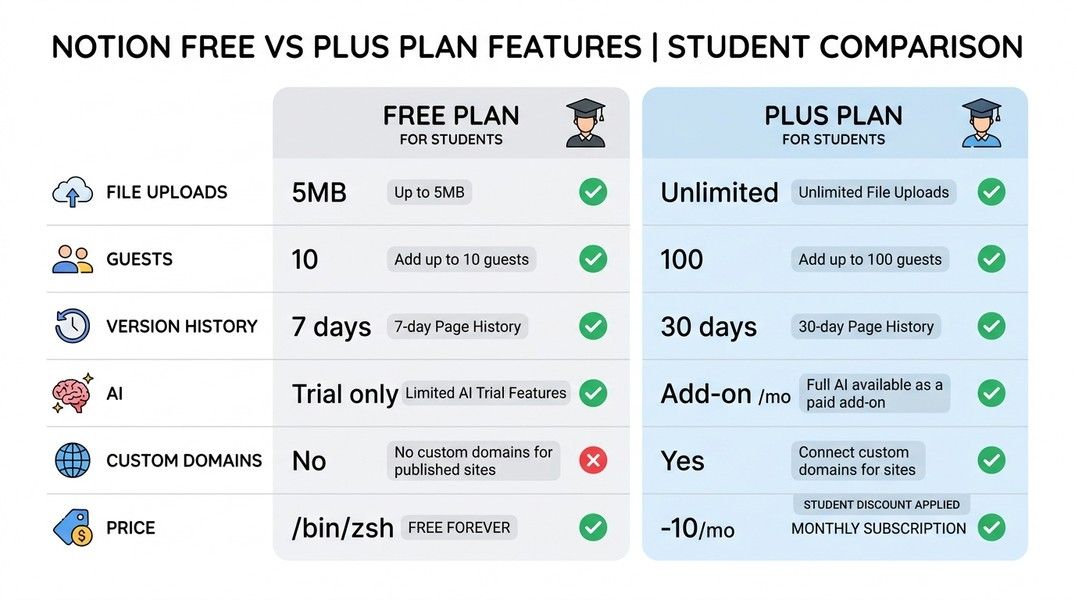
| Feature | Free (standard) | Education | Plus (paid) |
|---|---|---|---|
| Pages and blocks | Unlimited for one person | Unlimited | Unlimited |
| File upload limit | 5 MB per file | Unlimited | Unlimited |
| Version history | 7 days | 30 days | 30 days |
| Workspace members | Billable beyond yourself | 1 only | Unlimited, billed per member |
| Guests | 10 | 100 | Unlimited |
| Notion AI | Limited trial | Limited trial, 50% off possible | Limited trial |
| Price | $0 | $0 (school email) | $10 to $12/member/month |
The Education plan is essentially Plus, free, for one verified student. The place where it does not match Plus is membership rather than sharing: Education is capped at a single member, while its 100-guest allowance is ten times what the standard free tier gives you.
If you have a school email, there is almost no reason to use the standard free tier instead of the Education plan. The upgrade removes the upload cap, extends version history, and raises the guest ceiling from 10 to 100, all at no cost.
The Student Organization Plan
Notion runs a second education offer that most students never hear about, and it solves exactly the problem the individual plan cannot.
Student-led organizations at verified higher education institutions can apply for a free Plus workspace with unlimited members, not just unlimited guests. It carries the same unlimited uploads, the same 30-day page history and the same 100-guest allowance, and every member of the org collaborates at no charge.
Unlike the individual plan, this one is not automatic. Your org submits an application through Notion's education page and waits for verification, and the offer is limited to select verified institutions rather than every school in the WHED. If you run a society, a course cohort space or a research group, it is worth the application rather than paying for Plus seats.
When the Paid Plus Plan Makes Sense
The paid Plus plan becomes relevant for students who need more than one member in a workspace. The individual Education plan is a one-member workspace, so any project where several people need to own and administer the same space, rather than being invited in as guests, falls outside it.
Before paying for that, check the two cheaper routes. Guests are never billed on any plan, and 100 of them is enough for most study groups, course projects and shared wikis, so ask whether your collaborators genuinely need member status or simply need access. If they do need member status and the group is a recognised student organization, the free org plan above covers it outright.
Outside of the multi-member case, there is little reason to pay for Plus if you qualify for the Education plan.
Notion AI: What Students Actually Get
Full Notion AI is not included in the Free, Education or Plus plans. All three carry a limited AI trial, while the following features sit behind Business:
- Notion Agents, which handle repetitive tasks autonomously
- AI Meeting Notes
- Advanced Q&A and enterprise search across your full workspace
- Premium connections to external tools
Notion used to sell AI as a flat add-on of around $8 to $10 per month that you could stack on top of any plan. It withdrew that add-on in May 2025 and folded full AI into Business. Existing subscribers were moved across at the price they were already paying, but it is no longer sold to new customers, which is why older guides describing a cheap AI add-on no longer match what you will see in your account.
The one thing that softens this for students is the 50% Notion AI discount attached to the education offer. Check Settings, then Explore plans, and look for the option to add Notion AI. When it applies, it is the cheapest legitimate route to full AI on a student account by a wide margin, and far below the cost of moving the workspace to Business.
For students who want AI-assisted note-taking built directly into their workflow, there are two paths. First, stay on the Education plan and use a separate AI tool for processing lecture notes or summarizing documents. Second, subscribe to Business, which runs at double the Plus price. At current pricing, Business is rarely worth the cost for individual students unless your institution is subsidizing it.
If AI note processing and automatic transcription are central to how you study, apps like Primo Notes include AI features in their base plan rather than charging them as a Business-tier upgrade. That's a different architecture from Notion's database-first approach, but worth comparing if AI is your main reason for considering a paid upgrade.
Business Plan: Who Actually Needs It?
Business runs $20 per member per month on annual billing, or $24 monthly, which is hard to justify for individual students. It adds:
- Full Notion AI, including Agents and AI Meeting Notes
- SAML single sign-on, for institutions
- Granular database permissions and private teamspaces
- 90-day version history
For students, the one scenario where Business makes sense is if your university or program offers a subsidized Business account. A few institutional partnerships include temporary Business access, typically for incoming cohorts at business schools or programs that integrate Notion into their curriculum. Check with your institution before paying for Business individually.
For solo academic use, the Education plan covers everything you actually need.
How Notion Compares to Alternatives
| Tool | Starting Price | Student Plan | AI Included | Best For |
|---|---|---|---|---|
| Notion Free | $0 | Education plan, free with a school email | Limited trial | Databases, wikis |
| Obsidian | Free | No (paid sync) | Via plugins | Local files, privacy |
| Evernote | ~$15/month | No discount | Limited | Document clipping |
| Apple Notes | Free | N/A | Basic | Apple ecosystem |
| Google Keep | Free | N/A | No | Quick lists |
| Primo Notes | Free tier | N/A | Yes (base plan) | Lecture notes, audio |
Obsidian is the strongest free alternative for personal note-taking. It stores files locally, has no file size or block limits, and supports community plugins including AI integrations. The main trade-off is setup complexity and no native sync without paying for Obsidian Sync. For a detailed comparison, Obsidian vs Notion covers the key differences.
Primo Notes processes audio recordings, PDFs, and YouTube videos into structured notes automatically, then generates flashcards and quizzes from that content. If your primary workflow involves capturing lectures or processing documents, that serves a different purpose than Notion's database model, and it includes AI as a base feature rather than a Business-tier add-on.
For a broader look at what else is available, Notion alternatives covers the full range of options.
Common Student Frustrations with Notion Pricing
The Education plan resolves the most frequent complaints, but a few issues remain:
The AI paywall is the biggest remaining frustration. Students who used Notion AI as a cheap add-on under the old pricing structure find the Business-or-nothing structure for full AI more limiting. The limited trial is enough to test the features but not enough for regular use, and the 50% education discount is worth claiming precisely because the alternative is a Business seat.
The one-member cap surprises people. The individual Education plan is a solo workspace. Collaborators join as guests, which works for almost everything, but a genuine co-owned workspace means the org plan or a paid seat.
Annual reverification catches graduating students. The plan is not permanent. If your school email stops working, the yearly check fails and the workspace reverts to the free tier, so plan the move before your final term ends rather than after.
Verification can take time. If your school domain is not recognised automatically, emailing Notion to get it allowlisted adds a delay. Using your school email from the start is simpler than switching email addresses on an existing account.
Is Notion Worth It for Students?
If you have a school email at a college or university: yes, activate the free Education plan. It removes the main limitations of the standard free tier and costs nothing. This should be your starting point, not the standard free tier.
If you are in K-12, or do not have an institutional email, the standard free plan works for personal, text-based note-taking. The 5 MB upload cap, 10-guest limit and 7-day version history are the main restrictions. If you hit those regularly, Plus at $10 to $12 per month resolves them.
Business is rarely worth it for individual students. The AI features, while useful, are available through free external tools or purpose-built apps that include AI at lower price points, and the 50% education discount on Notion AI undercuts a Business seat for anyone who qualifies.
The clearest decision path: get the Education plan if you qualify, apply for the org plan if you run a student group, use the standard free tier if neither applies, and only consider paid plans if you have a specific need the free tiers cannot cover, which for most students comes down to multiple workspace members or full Notion AI.
Conclusion
Notion does offer a student plan: the Education plan, still labelled Education Plus in places, gives verified college and university students Plus-level workspace features at no cost. Activate it from Settings with a school email, and reverify once a year to keep it.
Two details matter more than the headline. The individual plan is a one-member workspace with room for 100 guests, so collaboration happens through sharing rather than through added members, and student organizations have their own free plan with no member limit at all. And Notion AI is no longer sold as an inexpensive standalone add-on: full AI requires Business, though students on the education offer may qualify for 50% off an AI subscription. For the majority of student use cases, the free Education plan remains the right choice.