
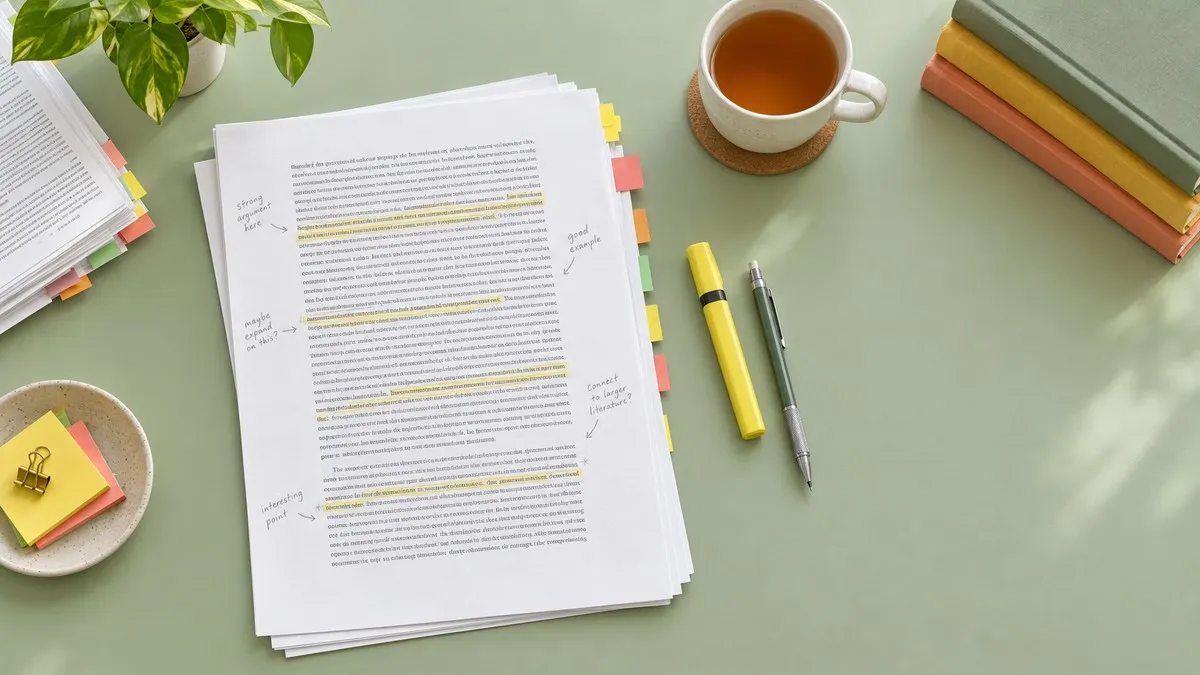
An annotated bibliography is a list of sources in which every citation is followed by a short paragraph, the annotation, that summarizes the source and usually evaluates it or explains how it fits your research. The citations follow your class's style, APA, MLA, or Chicago, and the entries go in alphabetical order, the same as a reference list.
The citation is the easy half. The annotation is where the marks are, and where most students stall: how long it should be, how much to judge, and where each line sits on the page. This guide gives the formatting rules for all three styles, a full annotated bibliography example in each one built on the same real study, and the three kinds of annotation side by side, so you can see exactly what changes between them.
What an Annotated Bibliography Is, and What It Is Not
Each entry has two parts. The first is the citation, written exactly as it would appear on a reference list or a works cited page. The second is the annotation, placed below the citation or, in Chicago, sometimes right after it.
The most common mistake is treating an annotation like an abstract. The Cornell library guide draws the line clearly: an abstract is purely descriptive, while an annotation is descriptive and critical, and can comment on the author's point of view, authority, or clarity. Cornell describes the annotation's purpose as telling the reader how relevant, accurate, and good each source is.
If your annotation could have been copied from the article's own abstract, it is not finished.
What an Annotation Can Cover
The SFU Library guide lists the material an annotation can draw on. You will rarely use all of it in a single entry:
- A brief summary of the source and its conclusions
- Its strengths and weaknesses, including the research method where there is one
- The author's background
- How it relates to other studies in the field
- Why it matters for your own research, and your own conclusions about it
How Long an Annotation Should Be
Guides give different numbers because instructors set the real limit. Cornell puts a typical annotation at about 150 words. SFU says roughly 100 to 300 words, in one paragraph. The library at NWACC suggests 2 to 6 sentences.
The APA manual itself, as NWACC quotes it, says instructors generally set the requirements for annotated bibliographies. The assignment sheet beats every guide, this one included. Where it says nothing, one paragraph of about 150 words is a safe default.
The Three Types of Annotation
The Purdue OWL samples sort annotations by what they do: some summarize, some assess a source, and some reflect on how it will be used. Many assignments want all three in one paragraph. Some want only one, so check the prompt before you write.
All the samples below annotate the same real study, a 2014 article by Pam Mueller and Daniel Oppenheimer comparing laptop and handwritten lecture notes.
Descriptive or Summary Annotation
A summary annotation answers one question: what is this source about? It states the main finding or argument, the scope, and the kind of evidence, and it does not judge. Because it sits closest to an abstract, it has to be written in your own words, which is where knowing how to paraphrase pays off.
In three studies, Mueller and Oppenheimer compare students who took lecture notes on laptops with students who wrote them by hand. Laptop note takers performed worse on conceptual questions, and the authors link the gap to verbatim transcription: typing lets students copy the lecture word for word instead of processing it and putting it in their own words.
Evaluative or Critical Annotation
An evaluative annotation adds a judgment backed by a reason. Is the source reliable? How strong is the evidence? How does it compare with other sources on your list? The University of Alberta's color-coded sample breaks a full annotation into the reference, research methods, author qualifications, a summary of the argument, critical evaluation, and the link to the student's own research.
The study is high-profile and clearly designed, but its central claim has not held up consistently. A direct replication by Morehead, Dunlosky, and Rawson found no reliable difference between laptop and longhand groups, so the article is better used as evidence about verbatim note taking than as proof that paper beats a keyboard.
Reflective Annotation
A reflective annotation explains how the source fits your project: what it changes in your thinking, where it will appear in your paper, or why you decided not to lean on it. The UNT Dallas guide adds a useful rule here: if you do not plan to use a source, say briefly why.
This article supports my second section, which argues that first-year students should be taught to summarize during lectures rather than transcribe. I use its verbatim transcription finding as the mechanism, not its laptop versus paper conclusion.
APA Annotated Bibliography Format
APA 7 covers annotated bibliographies in section 9.51 of the Publication Manual, and most of the usual APA paper rules still apply. Library guides that quote it agree on the essentials. Put the references in alphabetical order and format each one exactly as on a reference list, with a hanging indent. Start the annotation as a new paragraph below its reference and indent the whole annotation 0.5 inch from the left margin, like a block quotation, without indenting its first line any further.
If an annotation runs to a second paragraph, indent the first line of that paragraph an extra 0.5 inch. Double-space the whole document. Grand Canyon University's APA guide adds that the page title, Annotated Bibliography, is bold and centered at the top, and that you do not add a separate reference list at the end, since every reference is already there.
One detail students miss: you do not need to cite the work you are annotating inside its own annotation, because the context makes the source obvious. Add an in-text citation only when the annotation mentions a different work, as the example below does.
APA Annotated Bibliography Example
In the example, the journal title and volume number would be italic. The four spaces stand for the 0.5 inch indent.
Annotated Bibliography

Mueller, P. A., & Oppenheimer, D. M. (2014). The pen is mightier
    than the keyboard: Advantages of longhand over laptop note
    taking. Psychological Science, 25(6), 1159–1168.
    https://doi.org/10.1177/0956797614524581
    In three studies, Mueller and Oppenheimer compare students
    who took lecture notes on laptops with students who wrote
    them by hand. Laptop note takers performed worse on
    conceptual questions, which the authors link to verbatim
    transcription rather than distraction. The design is clear,
    but a direct replication found no consistent difference
    between groups (Morehead et al., 2019), so the article is
    stronger evidence about transcribing than about devices.
Notice the order inside the annotation: what the study did, what it found, then a judgment with a reason. That three-beat shape works for almost any APA annotation.
MLA Annotated Bibliography Format
The MLA Handbook, 9th edition, covers annotations in section 5.132. Style each source exactly as you would on a works cited list, with a 0.5 inch hanging indent, then add the annotation indented one inch from the left margin. The deeper indent is what separates the annotation from the hanging lines of a long citation. Purdue notes that this one inch indent is a change in MLA 9, so older templates set to 0.5 inch are out of date.
MLA is also the most relaxed about wording. As NWACC's library quotes the handbook, annotations can be succinct phrases or complete sentences, and they should not rehash minor details, cite evidence, quote the author, or recount the steps of an argument. If an annotation needs a second paragraph, indent the first line of every paragraph after the first.
MLA Annotated Bibliography Example
The journal title would be italic. Four spaces show the 0.5 inch hanging indent and eight spaces the one inch annotation indent. This entry uses the phrase style MLA allows.
Annotated Bibliography

Mueller, Pam A., and Daniel M. Oppenheimer. "The Pen Is Mightier
    Than the Keyboard: Advantages of Longhand Over Laptop Note
    Taking." Psychological Science, vol. 25, no. 6, 2014,
    pp. 1159-68, https://doi.org/10.1177/0956797614524581.
        Three studies comparing laptop and handwritten lecture
        notes, finding weaker conceptual recall among laptop
        users and attributing it to word-for-word transcription
        rather than to distraction.
If your instructor wants full sentences, the summary annotation from the types section above drops straight into this slot.
Chicago Annotated Bibliography Format
The Chicago Manual of Style, 18th edition, gives two options in section 13.68, as the Alberta library guide summarizes them. You can put the annotation directly after the citation in the same paragraph, optionally in brackets. Or you can start the annotation on a new line, and you may indent it from the left margin.
Purdue gives a 0.5 inch annotation indent for Chicago, the same depth as APA. The bibliography entry itself keeps its usual hanging indent. Chicago has two citation systems, notes and bibliography and author-date, so match the one the rest of your paper uses.
Chicago Annotated Bibliography Example
This entry uses the notes and bibliography form with the reflective annotation from earlier. The journal title would be italic.
Annotated Bibliography

Mueller, Pam A., and Daniel M. Oppenheimer. "The Pen Is Mightier
    Than the Keyboard: Advantages of Longhand Over Laptop Note
    Taking." Psychological Science 25, no. 6 (2014): 1159–68.
    https://doi.org/10.1177/0956797614524581.
    This article supports my second section, which argues that
    first-year students should be taught to summarize during
    lectures rather than transcribe. I use its verbatim
    transcription finding as the mechanism, not its laptop
    versus paper conclusion.
For the same-paragraph option, the annotation simply continues after the final period of the citation, and the whole entry keeps one hanging indent.
APA vs MLA vs Chicago at a Glance
| Style | Manual section | Annotation indent | Where the annotation goes |
|---|---|---|---|
| APA 7 | 9.51 | 0.5 inch, whole paragraph | New paragraph below the reference |
| MLA 9 | 5.132 | 1 inch | Below the works cited entry |
| Chicago 18 | 13.68 | Often 0.5 inch, optional | New line, or same paragraph as the citation |
In all three, the citations keep their normal hanging indent and the entries stay in alphabetical order.
How to Write an Annotated Bibliography Step by Step
Cornell's guide describes the process as concise exposition, succinct analysis, and library research. Here it is as six steps.
1. Collect More Sources Than You Need
Locate and record citations that might help, then skim each one. Cornell's advice is to keep the works that give a variety of perspectives on your topic, not five sources that all say the same thing. Variety is what makes the evaluative part of each annotation possible.
2. Read With the Annotation in Mind
As you read, note four things: the main argument or finding, how the author reached it, who the author is, and where the source is weak. Primo Notes can help with the reading stage: upload the article as a PDF and it comes back as a structured note, and Ask AI, a chat over that single note, lets you check details like the sample or the method before you write. The note is for your reading. The annotation still has to be your own judgment in your own words.
3. Write the Citation First
Format the citation in your required style before you write a word of annotation, and check every element against the style rules above. A wrong citation costs marks no matter how good the annotation under it is.
4. Summarize in Two or Three Sentences
State what the source is about, its scope, and its main conclusion. If you struggle to keep this short, the techniques in our guide on how to summarize an article work here too.
5. Add Evaluation and Reflection
Cornell suggests one or more sentences that do at least one of these: evaluate the author's authority or background, comment on the intended audience, compare or contrast the work with another source you have cited, or explain how it illuminates your topic. If you cannot explain a source's method out loud, you are not ready to judge it. Primo Notes' Feynman mode is a guided spoken session where you explain the material and the app works the gaps, which is a quick test before you write the critical sentence.
6. Alphabetize and Format the Page
Sort the entries by the first author's last name, apply the indents for your style, double-space, and title the page Annotated Bibliography unless your instructor says otherwise.
Common Annotated Bibliography Mistakes
Most lost marks come from a short list of problems:
- Rewording the abstract and calling it an annotation, with no evaluation at all
- Quoting the author or listing minor details, which MLA's own guidance tells you not to do
- Judging without a reason: "this is a useful source" says nothing until you say why
- Using the APA half-inch annotation indent in an MLA 9 paper
- Adding a separate reference list after an APA annotated bibliography
- Annotating every source the same way, when the assignment asked for reflection on how each one fits your paper
The same habits show up in the example study. Mueller and Oppenheimer found that laptop users fell behind because they copied instead of processing, and a later replication study found the gap smaller than first reported. Either way, the lesson for annotations holds: copying the source back to your reader is the weakest thing you can write.
Final Thoughts
An annotated bibliography entry is a correct citation plus a paragraph that does more than an abstract. Summarize what the source says, judge how well it says it, and explain where it fits your work, in whatever mix the assignment asks for.
The formatting differences between styles are small but easy to get wrong. APA indents the whole annotation half an inch below its reference. MLA 9 indents it a full inch. Chicago lets you start it on a new line or run it on after the citation. Keep about 150 words per entry unless told otherwise, order the entries alphabetically, and let your instructor's guidelines settle anything a style manual leaves open.