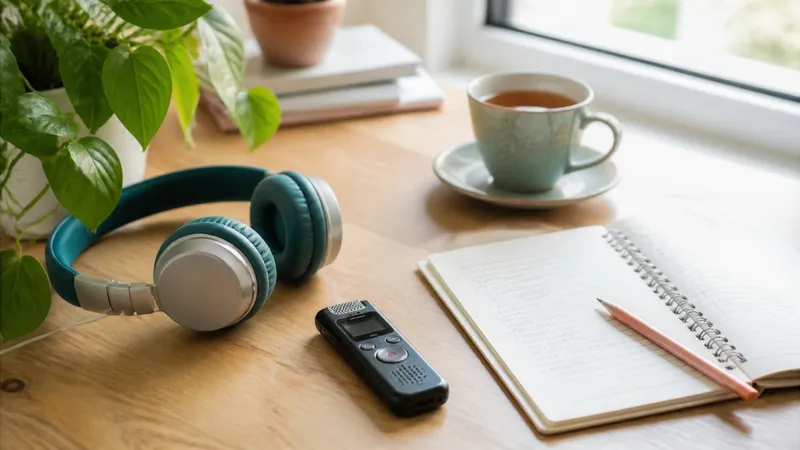
The best Plaud Note alternatives fall into two groups: other dedicated AI recorders, such as Notta Memo, Omi and Bee, and phone apps that record and transcribe with no extra hardware, such as Primo Notes, Otter.ai, Apple Voice Memos and Google Recorder. Which one fits comes down to a simple question: do you actually need a second device?
Plaud has earned its following. The Plaud Note Pro is a thin card that sits on the back of your phone, the NotePin clips to a collar or wraps around a wrist, and the transcripts are good. In Wirecutter testing, the NotePin S did an excellent job of recording accurate transcripts and telling multiple speakers apart.
So why are people shopping around? The same few reasons come up again and again, and they are worth understanding before you pick a replacement.
Why People Look for Plaud Note Alternatives
The monthly transcription cap
Every Plaud device comes with a free Starter plan of 300 transcription minutes a month. According to Plaud's support page, the Pro plan raises that to 1,200 minutes and Unlimited removes the cap. Five hours covers a light week, but Wirecutter noted that several meetings or brainstorming sessions a week may push you onto a paid tier.
Busywork after the recording
When The Verge reviewed the original NotePin, the complaint was not the hardware. Recordings had to be imported into the app, transcribed one by one, and given a summary template before anything useful came back. The reviewer called it too much busywork. Plaud's AutoFlow feature has since automated much of that, which Wirecutter confirmed.
Your phone already does part of the job
The same Verge review pointed out that Voice Memos on iOS 18 and Google's Pixel Recorder already transcribe for free. For a lot of people, a second gadget solves a problem their phone has already solved.
Plaud Note Alternatives at a Glance
| Tool | Type | Best For | Key Feature |
|---|---|---|---|
| Primo Notes | Phone app, iOS and Android | Students and professionals who want notes, not just transcripts | Eight input sources, 101 languages |
| Notta Memo | Card recorder plus app | Multilingual meetings and calls | 58 languages with live translation |
| Omi | Wearable pendant plus app | Always-on capture with tasks and reminders | Open source platform |
| Bee | Wearable | Ambient daily summaries | Listens through the day |
| Otter.ai | App, desktop and meeting bot | Teams on Zoom, Meet and Teams | Shared meeting history |
| Apple Voice Memos | Built into iPhone | Quick transcripts with nothing new to install | Native transcription |
| Google Recorder | Built into Pixel phones | Pixel owners recording lectures and interviews | Automatic speaker labels |
Primo Notes: A Plaud Note Alternative Without Hardware
Primo Notes is an AI note taking app for iOS and Android that turns almost any input into a structured note. If you liked Plaud's output but not charging another device, this is the closest software replacement.
Recording is the obvious starting point. Speaker labels are on by default, so a conversation with several voices comes back shaped like a meeting. The difference from a dedicated recorder is what else the app accepts: audio shared in from other apps, including WhatsApp voice notes, photos of handwritten or printed pages, PDF, DOCX and PPTX files, YouTube links and web pages.
Transcription covers 101 languages with automatic language detection and translation into your own. There is no template to pick before the note is made. One pass returns a title, a structured note and a formatted transcript, which removes the step The Verge found tedious.
On a finished note you get seven tools: summarize, rewrite, translate, quiz, flashcards, mind map and follow-up email. Ask AI lets you chat with a single note, and a Feynman mode has you explain the material out loud while the app probes the gaps. That makes it as useful for a lecture as for a client call.
Drawbacks: there is no wearable, so audio quality depends on where your phone sits. It is mobile only, with no desktop app and no bot that joins video calls.
Best for: students, and professionals who record in person and want study or follow-up material, not just a transcript.
Notta Memo: The Closest Hardware Match
If you want to keep a physical recorder, Notta Memo is the most direct swap for the Plaud Note Pro. It is a card-sized recorder that attaches magnetically to your phone and captures in-person conversations and phone calls with one press.
The standout is language support. The Notta Memo listing promises real-time transcription and translation across 58 languages, which helps if your meetings switch between languages, a weak spot Wirecutter found in the NotePin S.
It stores up to 30 hours of audio locally without an internet connection, then syncs to your Notta account for transcription and summaries once it is back online. Speaker identification is built in, summaries come from more than 30 templates, and an AI chat called Notta Brain answers questions across past recordings. On security, Notta lists SOC 2 Type II and ISO 27001 certification and GDPR compliance.
Drawbacks: it keeps the model you may be trying to leave, a second device tied to a separate account. Most of its value also sits in the Notta software rather than the hardware.
Best for: professionals who run multilingual meetings and prefer a dedicated recorder to a phone microphone.
Omi: An Open Source Wearable
Omi takes a different approach from Plaud. Instead of pressing record, it is an always-listening pendant that captures conversations through the day and turns them into summaries, action items and reminders.
Its main appeal is openness. Omi describes itself as open source and says the Omi app also works with devices you already own, on desktop and phone, so the pendant is optional. A library of community apps extends it into productivity, health and relationship tracking.
That flexibility suits tinkerers. If you want a device that feels like a second memory rather than a meeting recorder, Omi is the most customisable option here.
Drawbacks: always-on capture raises consent questions in any room you walk into, and you carry the responsibility for telling people. The pendant showed as out of stock on Omi's site when we checked in September 2026.
Best for: early adopters who want an ambient assistant they can extend with apps.
Bee: Ambient Summaries for Everyday Life
Bee is the lightweight end of the wearable market. It listens throughout the day and builds personal summaries, reminders and memory prompts, with no record button to press.
It is built for recall rather than documentation. If what you want is a daily digest of conversations and to-dos, Bee does that with very little effort on your part.
Drawbacks: Amazon now owns Bee, which gives some buyers privacy concerns. You also have less control over what gets recorded, and it is not designed for structured notes or work output.
Best for: personal use, where remembering what was said matters more than producing a document.
A caution applies to every wearable on this list. Meta bought the maker of the Limitless pendant, and the company stopped selling it to new customers on December 5, 2025, with support promised for existing owners for at least a year. Hardware can disappear faster than an app.
Otter.ai: Built for Online Team Meetings
Otter.ai solves a different problem from Plaud. Its AI notetaker joins selected Zoom, Google Meet and Microsoft Teams calls, and its desktop app adds bot-free local recording. The strength is what happens next: every meeting lands in a shared history your team can search and ask questions about.
It also keeps the full audio next to the transcript, so you can replay a moment when a summary looks wrong. Salesforce and HubSpot integrations make it a common pick for sales teams.
It is strongest when a meeting has a link to join. If most of your recording happens away from a laptop, compare it with the dedicated tools in our guide to AI transcription software.
Drawbacks: Otter lists transcription in English, Spanish, French, German, Japanese and Simplified Chinese, far fewer than most tools here. A bot joining calls can also put off external guests.
Best for: teams whose conversations happen mostly on video calls.
Apple Voice Memos: Free on Every iPhone
If you own an iPhone, you may not need to buy anything. From iOS 18 onwards, Voice Memos transcribes recordings, and The Verge noted that transcription and summarisation are now built into the app on both iPhone and Mac.
The appeal is zero friction. There is no new account to create and no extra device to carry. You open an app you already have, press record, and read the transcript afterwards.
It works best for short, simple recordings: a voice memo to yourself, a quick interview, a lecture you want to search later. What you do with the transcript is up to you, since there are no flashcards, follow-up emails or meeting structure on top.
Drawbacks: it is limited to Apple devices, and the output is a transcript rather than an organised note.
Best for: iPhone owners who mainly want searchable text from occasional recordings.
Google Recorder: The Pixel Equivalent
Google's Recorder app is the Android counterpart, built into Pixel phones and the Pixel Watch. On Pixel 6 and later, it detects different speakers automatically and labels them Speaker 1, Speaker 2 and so on.
Because the app ships with the phone, there is nothing to set up. For Pixel owners, it covers much of what a dedicated recorder does for interviews and lectures.
The catch is hardware. Recorder is tied to Pixel devices, so owners of other Android phones need a different app. Our roundup of Android voice recorders covers the options.
Drawbacks: Pixel only, and like Voice Memos it stops at the transcript.
Best for: Pixel owners who record regularly and want speaker labels at no extra cost.
How to Choose the Right Plaud Note Alternative
Start with where your conversations happen and what you need afterwards, not with the device.
- If you record in person and want notes, quizzes or follow-up emails from it, choose an app with tools on top of the transcript, such as Primo Notes.
- If you want to keep dedicated hardware and work across languages, Notta Memo is the most direct swap for the Plaud Note Pro.
- If your meetings happen on video calls with a team, Otter.ai fits better than any wearable.
- If you only need occasional transcripts, try Apple Voice Memos or Google Recorder before buying anything.
- If you want an always-on memory aid, Omi or Bee suit you, provided you are comfortable with the consent questions.
Then run one real test. Record the same meeting or lecture on your shortlist and compare the transcripts, the speaker labels, and how much work it takes to get something usable out. That single session will tell you more than any spec sheet.
Conclusion
Plaud makes capable AI recorders, and the reasons people move on are practical: a monthly minute cap, another device to charge, and extra steps between recording and a usable result. Dedicated alternatives like Notta Memo and Omi keep the hardware but change the software around it. Phone apps drop the hardware entirely, from free built-in options like Voice Memos and Google Recorder to apps that turn a recording into structured notes and study material.
The right choice depends less on microphones than on what you do after you stop recording. Match the tool to that, test it on a real conversation, and you will know within a day whether it earns a place in your routine.