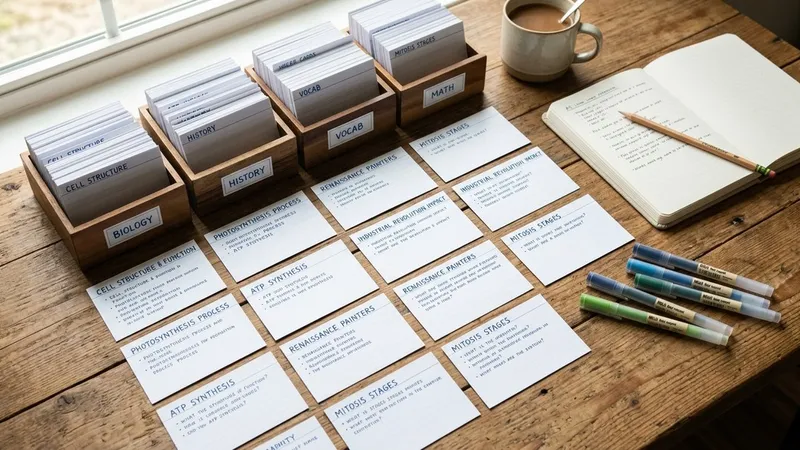
The best Knowt alternatives depend on what you use Knowt for. If you mostly make flashcards, Anki and Brainscape give you stronger spaced repetition. If you want a huge library of ready-made sets, Quizlet is still the biggest. If you record lectures or study from PDFs and YouTube, an app built around capture, such as Primo Notes, turns the source into notes first and flashcards second.
Knowt earned its audience honestly. It bills itself as a free Quizlet alternative, and it keeps its core study modes free. But students who lean on its AI features, or who study from more than typed notes, often hit limits that push them to look elsewhere.
This guide covers why people switch, compares seven Knowt alternatives side by side, and ends with a simple way to pick the right one for how you actually study.
Why People Look for Knowt Alternatives
Most people who leave Knowt are not unhappy with the flashcards. They leave because the AI features they came for are metered, or because Knowt was built around one kind of studying.
The AI features run on a monthly allowance
According to the Knowt help center, a few AI-powered features are limited on the free plan, and when you reach a limit Knowt shows an upgrade offer. Your AI usage then resets monthly. If you summarize a PDF or record a lecture every day, the free allowance runs out quickly.
The paid tier is not unlimited either. An independent Knowt app review found that even Ultra subscribers face monthly caps of 100 PDFs and 100 videos. The same review notes that the free plan includes ads.
Is Knowt free?
Yes, for the parts most students use. Your own sets get Learn, Practice Test, Spaced Repetition, Match and Flashcards modes at no cost, and AI features on material a teacher shares with you are free. What costs money is heavy personal use of the AI lecture note taker, the PDF and video summarizers, and unlimited chats with Kai, Knowt's AI tutor.
It is built around AP exams and classrooms
Knowt's content and tools lean hard toward AP courses and teacher-assigned work. That is a strength if you are a high school student preparing for AP exams. It is less useful if you are a university student, a nursing student, or someone learning from recorded meetings and long readings.
Knowt Alternatives at a Glance
Here is how the seven apps in this guide compare on what they do best.
| Tool | Best For | Free Option | Standout Feature |
|---|---|---|---|
| Primo Notes | Lectures, PDFs, YouTube, photos | Mobile app, in-app plans | Eight input sources into one note |
| Quizlet | Ready-made study sets | Yes, limited modes | Huge shared library, new audio recording |
| Anki | Serious spaced repetition | Free on desktop and Android | Fully customizable review scheduling |
| RemNote | Notes and cards in one place | Yes, with caps | PDF annotation and image occlusion |
| NotebookLM | Studying your own documents | Yes, daily caps | Answers grounded in your sources |
| Brainscape | Confidence-based flashcards | Yes | Certified expert-made decks |
| Otter.ai | Recording long lectures | Yes, time caps | Live transcription of class |
Primo Notes
Primo Notes is an AI note taking app for iOS and Android that turns almost any source into a structured note. You can record a lecture, share in a voice message, photograph a page of handwriting or a printed handout, upload a PDF, DOCX or PPTX file, paste a YouTube link or a web page, or type text. Eight input sources all end up in one note format with a title, the note itself and a formatted transcript.
That is the main difference from Knowt. Knowt starts from notes and flashcards you create; Primo Notes starts from whatever you already have and does the organizing for you.
What you can do with a note
On any finished note you get seven tools: summarize, rewrite, translate, quiz, flashcards, mind map and follow-up email. Ask AI lets you chat with a single note, and Feynman mode runs a guided spoken session where you explain the material out loud and the app works through the gaps.
Transcription covers 101 languages with automatic detection and translation, which matters if you attend lectures in a second language. Recordings with more than one speaker come back labeled by speaker, so a seminar or a study group reads like a conversation rather than a wall of text.
Best for: university students who record lectures, international students, and anyone who studies from PDFs, slides and videos rather than typed notes.
The drawbacks: it is mobile only, with no web app, and it has no public library of shared sets or AP-specific practice exams. If you want to borrow someone else's deck for AP Biology, Knowt or Quizlet serve that better.
Quizlet
Quizlet is the app Knowt was built to replace, and it is still the biggest name in flashcards. Its shared library of study sets is its real advantage: for most common courses, someone has already made a deck.
Quizlet has also moved toward Knowt's territory. In August 2026 Quizlet announced new study tools including Audio Recording, which turns live lectures into study guides and flashcards, and Podcasts, which converts notes and sets into conversational audio for review on the go. A comparison by Laxu AI reports that the first recording is free, after which audio recording becomes a Plus feature, and that it does not work on mobile web.
A recurring complaint in one-star app reviews is that the study modes that actually teach you have moved behind the paid plan, leaving free users with basic card flipping. That is the exact gap Knowt set out to fill.
Best for: students in large, common courses who want existing decks rather than building their own.
Choose it over Knowt for the bigger library and the more mature ecosystem, and expect fewer free study modes. For a deeper look, see our guide to free Quizlet alternatives.
Anki
Anki is the flashcard app serious memorizers tend to end up with. It is free on Windows, Mac, Linux and Android, and the iPhone and iPad app is a one-time purchase rather than a subscription.
Its strength is spaced repetition you can customize down to the detail, from review intervals to how each deck is scheduled. Nothing in Anki is metered, so you can study as many cards as you like without hitting a monthly limit.
The trade-off is effort. Anki has no built-in AI that reads your lecture and writes cards for you, and its interface is plain. Reviewers also point out that the platform you own determines what you pay, which surprises students who assumed it was free everywhere.
Best for: students with heavy memorization loads who are willing to build or import their own decks.
Choose it over Knowt for deeper, uncapped spaced repetition, and expect a steeper learning curve with no AI note generation. Our Anki vs Quizlet comparison covers how its scheduling works in practice.
RemNote
RemNote combines an outliner for notes with spaced repetition flashcards, so your cards live inside the same document as your notes. It is popular with medical, dental and law students who would otherwise juggle a notes app and Anki.
According to RemNote's plan page, the free plan includes unlimited notes and flashcards on unlimited devices, but caps you at 3 annotated PDFs and 5 image occlusion cards. Paid plans unlock unlimited PDF annotation, image occlusion and an exam scheduler, and the AI tier adds card creation from text, PDF and PowerPoint files, an AI tutor chat and AI grading.
RemNote rewards students who like building a structured knowledge base. If you want to annotate a textbook chapter and have cards appear from your highlights, it does that well.
Best for: students who want notes and flashcards in one system and study heavily from PDFs.
Choose it over Knowt for better PDF annotation and image occlusion on diagrams. The free plan's PDF cap arrives fast, though, and the outliner takes time to learn.
NotebookLM
NotebookLM is Google's research assistant. You upload your own files and it answers questions only from what you uploaded, which keeps it grounded in your course material instead of the open web.
As a NotebookLM limits guide explains, the free tier works with any Google account and includes 100 notebooks, 50 sources per notebook and 50 chat queries a day, plus Audio Overviews and study tools. Paid tiers exist mainly to raise those caps.
That makes NotebookLM strong for reading-heavy subjects. Upload a semester of lecture slides, ask for the five most important concepts, then ask for exam-style questions and answer them before checking.
Best for: history, law and humanities students working through large amounts of reading.
Choose it over Knowt for a generous free tier built around document questions. It does not record lectures, and it does not track your flashcard progress over time.
Brainscape
Brainscape is a flashcard app built on confidence-based repetition: after each card you rate how well you knew it, and cards you are unsure about come back sooner. The free plan lets you type unlimited flashcards, import existing ones, use AI to make hundreds of cards and study everything you or your classmates created.
What sets Brainscape apart is its certified content, decks made by experts for standardized tests and professional exams. The paid plan unlocks unlimited study of those certified decks, images and sound on cards, and private content.
Best for: exam preparation where a vetted, expert-built deck saves you hours of card writing.
Choose it over Knowt for a simpler, rating-driven review method and curated test content. It does much less with your own lectures and documents.
Otter.ai
Otter is a transcription app first. It records and transcribes class automatically, in person or over video calls, and it now turns those notes into study guides, quizzes and exam prep sheets.
If your main reason for using Knowt is its AI lecture note taker, Otter is the most direct swap. Check the free plan's limits before relying on it for full lectures, since Otter's free tier caps each conversation at 30 minutes and limits monthly transcription minutes.
Best for: students who sit through long lectures and want a reliable transcript first.
Choose it over Knowt for stronger live transcription. It is a meeting tool at heart, though, so flashcards and spaced repetition are thinner than in dedicated study apps.
How to Choose the Right Knowt Alternative
Start with where your study material comes from, not with a feature list. The right app is the one that takes your material in the shape you already have it.
- You make flashcards from typed notes: Anki if you want full control, Brainscape if you want a simpler rating system, Quizlet if you want someone else's deck.
- You study from PDFs and readings: RemNote for annotation and cards together, NotebookLM for asking questions across many documents.
- You learn from lectures, videos and photos of handouts: Primo Notes or Otter.ai, depending on whether you want study tools or a transcript.
Then check the limit that matters to you. Apart from Anki, every app in this guide meters something, whether it is AI credits, PDF uploads, recording minutes or daily chat queries. Find the one limit you would hit in a normal week and choose the app where that limit does not apply.
Finally, look at where you study. Anki, RemNote and NotebookLM work well on a laptop. Primo Notes is built for your phone, which suits recording a lecture or photographing a whiteboard the moment it happens.
Conclusion
Knowt is a strong free study platform, especially for AP students, but its AI features run on monthly allowances and its tools are built around typed notes and classroom assignments. The best alternative depends on your input: Anki, Brainscape and Quizlet for flashcard-first studying, RemNote and NotebookLM for PDF-heavy courses, and capture-first apps for lectures, videos and photos. Pick based on the one limit you would hit every week, and your study system will hold up through the whole semester.