Finding the right AI study tool can mean the difference between cramming the night before and actually retaining what you learn. The best AI study tools for students go beyond simple note-taking: they turn your raw content into flashcards, quizzes, and summaries that align with how memory works.
Research shows students in AI learning environments achieve 54% higher test scores and 30% better outcomes compared to traditional methods. With 92% of students already using some form of AI in their studies, the question is no longer whether to use AI tools but which ones actually deliver.
This guide covers seven AI study tools evaluated on study modes, input flexibility, accessibility, and how well they support evidence-based learning methods like active recall and spaced repetition. Whether you're a college student managing lecture-heavy semesters, a med student drowning in terminology, or a high schooler with ADHD who needs a better system, there is a tool here for your situation.
Best AI Study Tools at a Glance
| Rank | Tool | Best For | Standout Feature |
|---|---|---|---|
| 1 | Primo Notes | End-to-end capture to study | 4 study modes and 9 input types |
| 2 | Anki | Long-term retention | Proven spaced repetition algorithm |
| 3 | Quizlet | Adaptive practice tests | AI Learn mode with personalized quizzes |
| 4 | Otter.ai | Lecture transcription | Real-time audio-to-notes with speaker ID |
| 5 | Notion AI | Note organization | AI summaries inside a flexible workspace |
| 6 | Khanmigo | AI tutoring | Step-by-step Socratic guidance |
| 7 | Wolfram Alpha | STEM problem-solving | Computational step-by-step solutions |
How We Evaluated These AI Study Tools
Not every AI tool that helps students is an AI study tool. An app that transcribes your lecture but leaves you with a wall of text hasn't done the hard part. We evaluated each tool across five dimensions:
- Study mode depth: Does the tool convert captured content into quizzes, flashcards, mind maps, or research summaries? Or does it stop at transcription?
- Input flexibility: Can you feed it voice, PDFs, camera images, or video links, or only one format?
- Learning science alignment: Does the tool support spaced repetition, active recall, or elaborative interrogation, methods with substantial evidence behind them?
- Accessibility: Are there features for students with dyslexia, ADHD, or language barriers? This matters more than most roundups acknowledge.
- Reliability: Accurate transcription across languages and content types, so your study materials don't start from flawed source material.
Primo Notes: Best End-to-End AI Study Tool
Primo Notes is the most comprehensive AI study tool for students who want a single app to handle everything from capture to review. Where most tools do one part of the workflow well, Primo Notes connects all of them.
Input is genuinely multi-modal. You can record a lecture directly in the app, upload a PDF textbook chapter, photograph handwritten notes or a whiteboard, paste a YouTube lecture URL, or type content manually. All five input types get processed by the same AI pipeline, which transcribes in 101 languages and auto-translates into your preferred language.
What makes Primo Notes different is what happens after capture. The AI doesn't hand you a transcript and stop. It writes a note with headings and key points, and keeps the full transcript with speaker labels underneath. For students, that means you read a page instead of twenty.
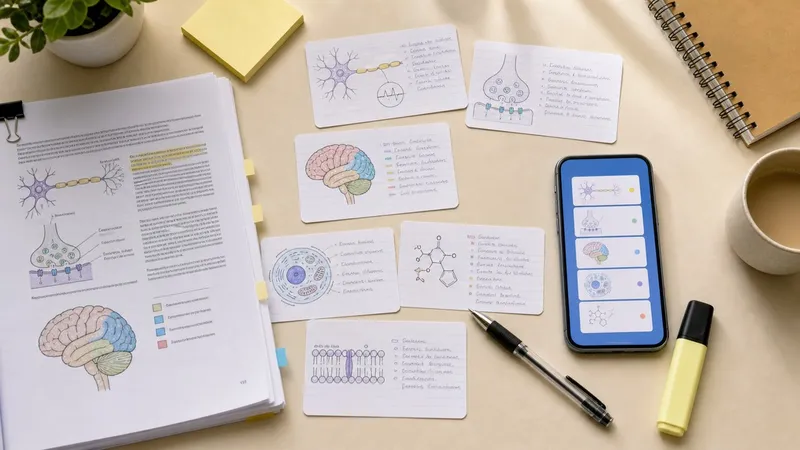
On the study side, Primo Notes offers four distinct modes. Interactive Quiz generates questions from your content and tests you immediately. Flashcards creates spaced repetition decks that schedule review sessions based on how well you know each card. Deep Research expands on your captured content with additional context and sources. Mind Maps builds visual relationship diagrams from the key concepts in your notes.
For students with ADHD, the auto-organization removes the executive function overhead of sorting notes after class. You record or upload, and the written note comes back with headings and key points already in place.
Primo Notes works on iOS and Android with real-time sync across all your devices. Med students use it to record dense lectures and generate flashcard decks for clinical terminology. International students record in their lecture language and review translated notes. Law students upload case PDFs and convert them into structured briefs for bar prep.
If you want to go deeper into building flashcard decks specifically, the guide to AI flashcard makers covers that category in more detail.
Best for: Students who want a single tool covering capture, organization, and review across multiple content types.
Anki: Best for Spaced Repetition
Anki is the gold standard for spaced repetition flashcards and has been for over a decade. The open-source algorithm schedules card reviews at precisely the intervals that maximize long-term retention, and the research backing this approach is extensive.
AI card generation has improved Anki significantly. You can now import notes, PDFs, or paste text and have cards generated automatically rather than creating each one by hand. The AnkiWeb community hosts thousands of shared decks covering medical school subjects like anatomy, pharmacology, and biochemistry, which means you don't always have to create from scratch.
Accessibility is largely driven by add-ons rather than built-in features. Customizable fonts and spacing help students with dyslexia, and text-to-speech add-ons help ADHD users stay engaged during review sessions. The learning curve for setting up Anki is steeper than most tools here, especially once you start customizing decks and add-ons.
Best for: Students who need rigorous spaced repetition and are willing to invest time setting up their system. Particularly strong for med students with high-volume memorization demands.
Quizlet: Best for Adaptive Practice Tests
Quizlet is one of the most widely used study platforms among students, and its AI Learn mode is the feature that sets it apart from a basic flashcard tool. Learn mode tracks which terms you know and which you struggle with, then builds personalized practice tests that weight your weak areas more heavily.
You can create content manually or upload PDFs and lecture slides for AI-generated sets. Images and audio support make it practical for subjects beyond text-heavy ones. Quizlet's TTS features and audio-first modes are particularly useful for students with dyslexia who find listening more effective than reading.
The limitation is scope. Quizlet is excellent at drilling discrete facts and definitions but doesn't have the input flexibility or multi-modal workflow that tools like Primo Notes offer. It won't process a YouTube lecture or a photographed whiteboard.
Best for: Students who want AI-assisted practice tests and adaptive quizzes, especially for vocabulary-heavy subjects.
Otter.ai: Best for Lecture Transcription
Otter.ai is built around audio transcription with speaker identification, making it a solid choice for students who want searchable records of lectures and seminars. The AI generates an automatic summary alongside the full transcript, so you can get the key points without reading everything.
Otter integrates with Zoom, Google Meet, and other platforms, which makes it useful for online lectures. Real-time captioning during live recording helps students who are hard of hearing or process information better through reading than listening.
The gap is on the study side. Otter produces well-organized notes but doesn't generate quizzes, flashcards, or mind maps. To convert your Otter transcripts into study materials, you'd need to export them to another tool. For students who want the full pipeline in one app, that extra step adds friction.
Best for: Students who attend heavily lecture-based classes and want searchable, summarized transcripts for reference.
Notion AI: Best for Note Organization
Notion AI sits inside one of the most flexible workspace tools available. If you already use Notion for organizing your semester, adding AI capabilities gives you summaries, explanations, and Q&A generation directly inside your existing note structure.
The AI can take a dense block of reading notes and produce a structured summary, generate practice questions from any page, or explain a concept in simpler terms. For students with ADHD, Notion's customizable views help reduce visual clutter and keep focus on the current task.
Where Notion AI falls short as a standalone study tool is capture. It has no built-in voice recording, no PDF transcription pipeline, and no lecture processing. Everything goes in manually. For students who already have strong note-taking habits and want AI to enhance their existing system, it works well. For students who need help at the capture stage, it requires pairing with another tool.
Best for: Students who are already Notion users and want AI summaries and Q&A built into their notes workflow.
Khanmigo: Best for AI Tutoring
Khanmigo from Khan Academy takes a different approach to AI-assisted learning. Rather than processing your own content, it functions as an AI tutor that guides you through subjects using Socratic questioning, asking you to reason through problems rather than just giving answers.
For high school students struggling with math, science, or history, Khanmigo's patient, back-and-forth tutoring style fills a gap that other tools don't address. Students with dyslexia can interact via voice, and the pacing adapts to individual needs rather than forcing a fixed pace.
Khanmigo is deeply integrated with Khan Academy's subject library, which limits it to the subjects and content within that ecosystem. It's not a tool you can feed your own notes into. The value is in guided understanding, not in processing external content.
Best for: High school and early college students who want an AI tutor to explain concepts they're struggling with, particularly in STEM.
Wolfram Alpha: Best for STEM Problem-Solving
Wolfram Alpha is a computational knowledge engine that handles math, physics, chemistry, and engineering problems with step-by-step breakdowns. Type in an equation or a concept and it returns not just an answer but the reasoning behind each step.
For engineering students, pre-med students, and anyone in a quantitative program, Wolfram Alpha functions as an on-demand tutor for calculation-heavy content. The visual plots and diagrams it generates alongside solutions help build conceptual understanding rather than just answer-checking.
It doesn't do anything outside computation and factual queries. You can't upload a lecture, generate flashcards, or build a study plan. But for what it does, nothing else comes close.
Best for: STEM students who need step-by-step computational help and visual explanations for math and science problems.
What to Look for in an AI Study Tool
Choosing the right tool depends on where your study workflow breaks down. Here are the questions worth asking before committing:
- Where does your content come from? If you attend lectures, you need strong audio capture or transcription. If you work from PDFs and textbooks, input processing matters more than recording.
- What study methods do you rely on? If spaced repetition is your core method, you want a tool with strong flashcard scheduling, not just note generation. If you think visually, mind map output matters.
- Do you have accessibility needs? If you have dyslexia or ADHD, check whether accessibility features are native to the tool or require third-party add-ons. Native integrations are significantly more reliable.
- How many subjects are you covering? Single-subject students can use specialized tools like Wolfram Alpha effectively. Students managing four or five subjects benefit more from a unified workflow like Primo Notes that handles all input types in one place.
- Do you want a capture tool or a study tool? Some tools are excellent at capture and weak on study modes. Some are strong on testing and weak on input. The best AI study tools for students do both well.
Conclusion
The best AI study tool depends on your learning style and the specific friction in your study process. Anki remains the benchmark for spaced repetition. Quizlet delivers adaptive practice tests that work well for vocabulary-heavy subjects. Wolfram Alpha is essential for STEM. Khanmigo is the right choice when you need guided explanation rather than content processing.
For students who want a single AI study tool handling the full workflow from capture to review, Primo Notes combines multi-modal input, automatic organization, and four distinct study modes in one app. Transcription in 101 languages extends that usefulness to students who often get left out of mainstream tools.
The most important thing is matching the tool to the problem, not picking the most popular option. Any of the tools above will outperform studying from raw notes alone.